Open Salesforce Orgs in the sidebar, choose History on the org's card and read the message on the failed row. Fix what it names, then choose Sync Now again. A failed sync does not run again by itself: the next attempt is your Sync Now, or the next daily sync if Daily scheduled sync is on. If the org isn't on the list any more, see The org is missing from Salesforce Orgs below.
Where to see what happened
- The org's card shows the sync's live progress while it runs, and a badge such as Sync failed or Syncing afterwards.
- History lists the last five syncs with their status (Queued, Running, Succeeded, Failed or Cancelled), whether each was Incremental or Full, how long it took and the commit it made.
- Activity in the sidebar lists syncs across the workspace, including scheduled ones.
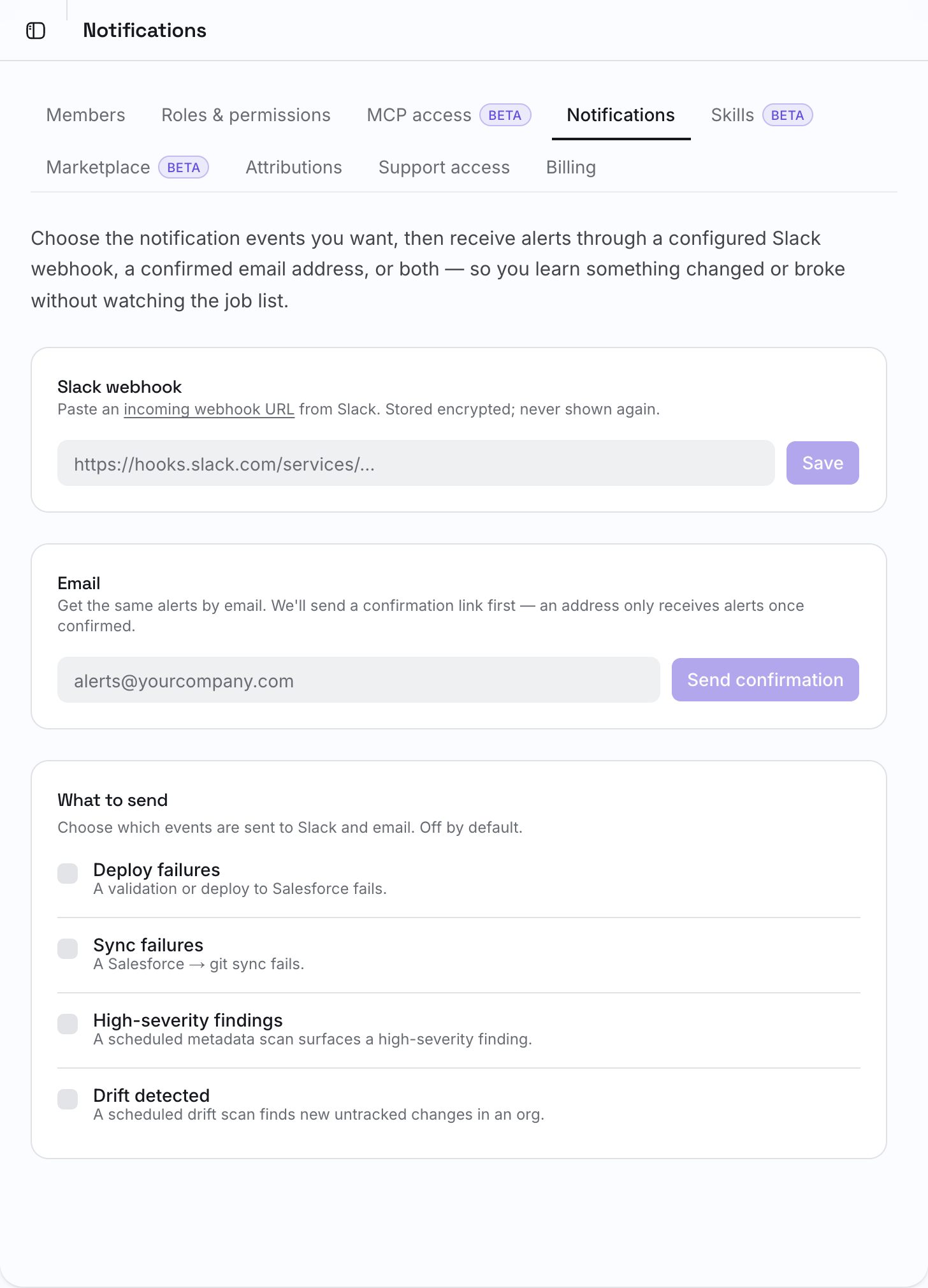
- To get an alert, turn on Sync failures under Settings → Notifications and add a Slack webhook or a confirmed email address. Alerts are off by default.
Common messages and what to do
| The message says | What to do |
|---|---|
| This Salesforce connection is no longer usable. Reconnect it in Flowsprite and try again. | Reconnect the org, see below. |
| No repo bound. Pick or create a repo via the Repo dropdown first. | Pick a repository on the org's card, see Connect GitHub. |
| Repo is still being created. Try again in a few seconds. | Wait a few seconds, then choose Sync Now. |
| A sync is already running for this Salesforce org. | Each org runs one sync at a time. Wait for it to finish, or cancel it. |
| The previous sync of this repository was stopped moments ago and may still be finishing its last step. | After a cancel, wait about ten minutes before the next sync. |
| Sync stopped: it made no progress for 60 minutes. Run Sync Now again. | Choose Sync Now. FlowSprite stops a sync that makes no progress for an hour. |
| Sync timed out after … hours. | Choose Sync Now again. If it times out again, contact us. |
| Salesforce answered … after 3 attempts … The remaining batches were not synced — run Sync Now again. | Salesforce didn't answer in time. Choose Sync Now again. |
| Salesforce retrieve failed: … | The rest of the message is Salesforce's own. Fix that in the org, then sync again. |
| GitHub App request failed (HTTP …). | Check the app is still installed on GitHub and can reach the repository, see GitHub won't connect?. |
The org is missing from Salesforce Orgs
When Salesforce stops accepting FlowSprite's sign-in, for example because it expired or was revoked in Salesforce, FlowSprite disconnects the org. Its running syncs are cancelled with "Connection revoked.", and the org leaves the Salesforce Orgs list.
To reconnect, choose Add Salesforce Org and sign in to the same org again. Reconnecting the same org updates its stored sign-in. See Connect a Salesforce org.
Sync Now is greyed out
- "Pick or create a repo first to enable syncing.": bind a repository on the org's card first.
- "Repo bootstrap failed. Pick a different repo or try again.": choose another repository, or try the same one again.
- No Sync Now button at all: running a sync needs the Run sync permission, which the default Contributor, Admin and Owner roles have. Ask an Owner or Admin.
Incremental or full
Sync Now reads only what changed since the last sync. Every seventh sync is a full re-read, and so is the first one. There is no separate full-sync button; your AI assistant can ask for one with the sfdc_trigger_sync tool and kind set to full.
Cancelling a sync
Cancel stops the sync and leaves the repository at whatever was committed so far. Nothing is rolled back in Salesforce, because a sync only reads the org.