Once an org is connected, choose Analyze your org on the Get started page. FlowSprite reads the org and shows what it found under See what's inside your org. The analysis only reads: nothing is written back to Salesforce, and it is allowed on a read-only production connection.
Run it
- Open Get started in the sidebar. The analysis card appears after your first org is connected.
- Choose Analyze your org. The button reads Analyzing… while it runs. If you have more than one org, it picks your production connection first.
- When it finishes, choose View findings.
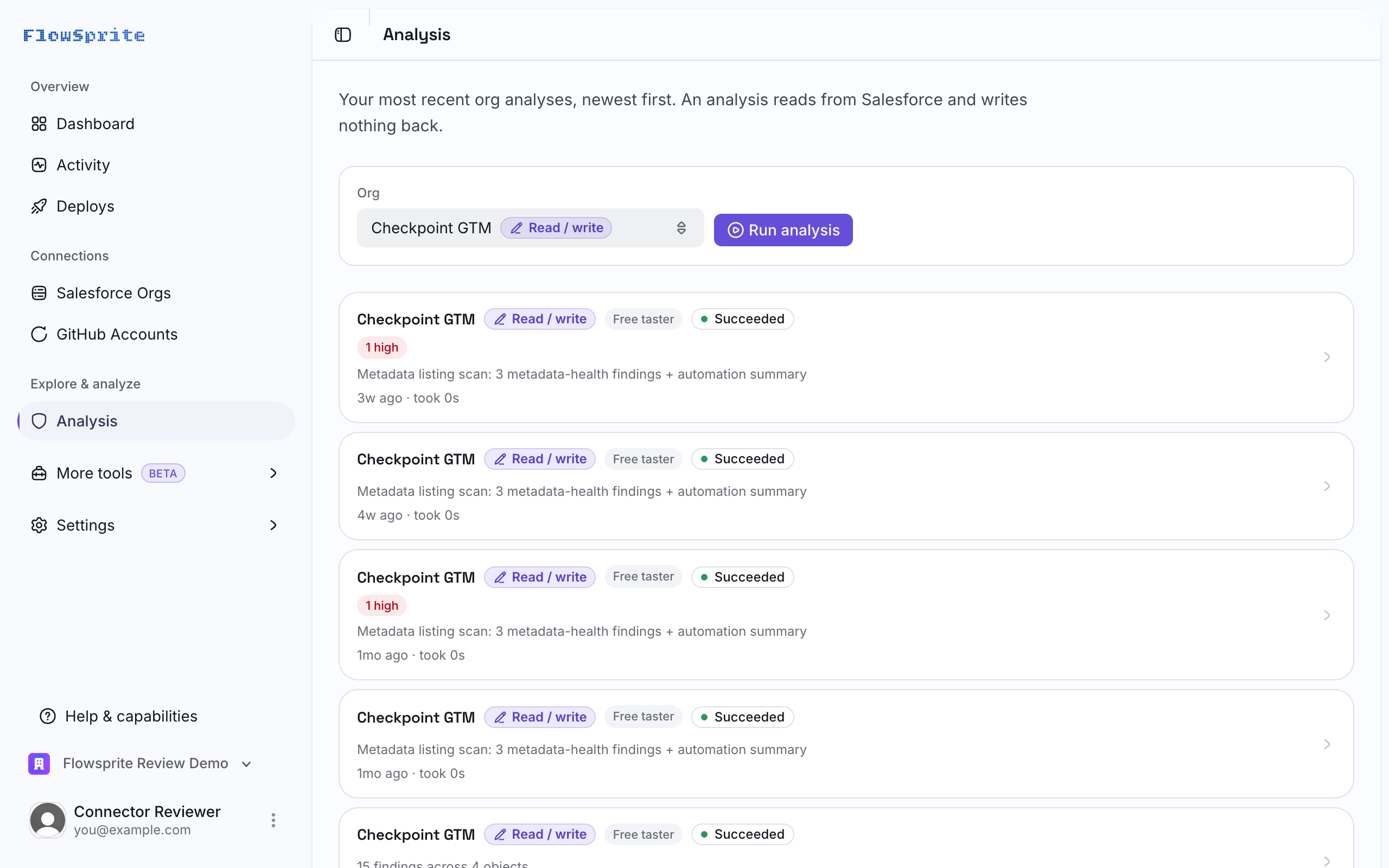
To run it again later, choose Analyze again. Every run is listed under Analysis in the sidebar (in the Explore & analyze group), newest first, and Run analysis there starts a new one.
What the free analysis covers
| Section | What it tells you |
|---|---|
| Record counts | How many records each of your core objects holds |
| Pipeline health | Deals by stage, win rate, and how long deals sit |
The findings keep aggregate numbers only, not copies of your records. Each object FlowSprite reads during the run is recorded in the workspace's query audit log.
The full audit
The full audit is the paid tier of an analysis: a one-time purchase for the whole workspace that does not renew and is not part of a trial or subscription. The app shows the price on the Unlock the full audit button before you buy. A member who manages billing can buy it; anyone else sees a prompt to ask a workspace admin. After it is unlocked, choose Run full audit.
| Section | What it tells you |
|---|---|
| Data quality | Duplicates, stale ownership, and record aging per object |
| Undocumented fields | Help-text coverage on the custom fields of the objects it audits |
| Permission exposure | Profiles and permission sets holding View All, Modify All or broad read grants |
| Feature adoption | Which features people actually use, where your org's activity log is available |
| Field usage | How often the fields it tracks are filled in, custom ones first |
| Metadata drift | Your live org compared against its mirror repo (needs GitHub connected) |
If you can't run it
An analysis reads live Salesforce records, so it needs the same permission as reading records. If the app says You don't have access to analysis history, ask a workspace admin to give your role permission to read records.
Next step
Connect GitHub to mirror the org's metadata into a repository, which the change workflow and the metadata drift check both use.